Overview
Integrating Facebook as an identity provider offers your users a convenient and secure way to access your Pocket Script application. This feature leverages Facebook’s OAuth 2.0 protocol, ensuring a streamlined authentication process while maintaining high security standards.
Your domain must have a valid SSL certificate installed for the Facebook login to work
Getting Facebook App ID and Secret Key ?
-
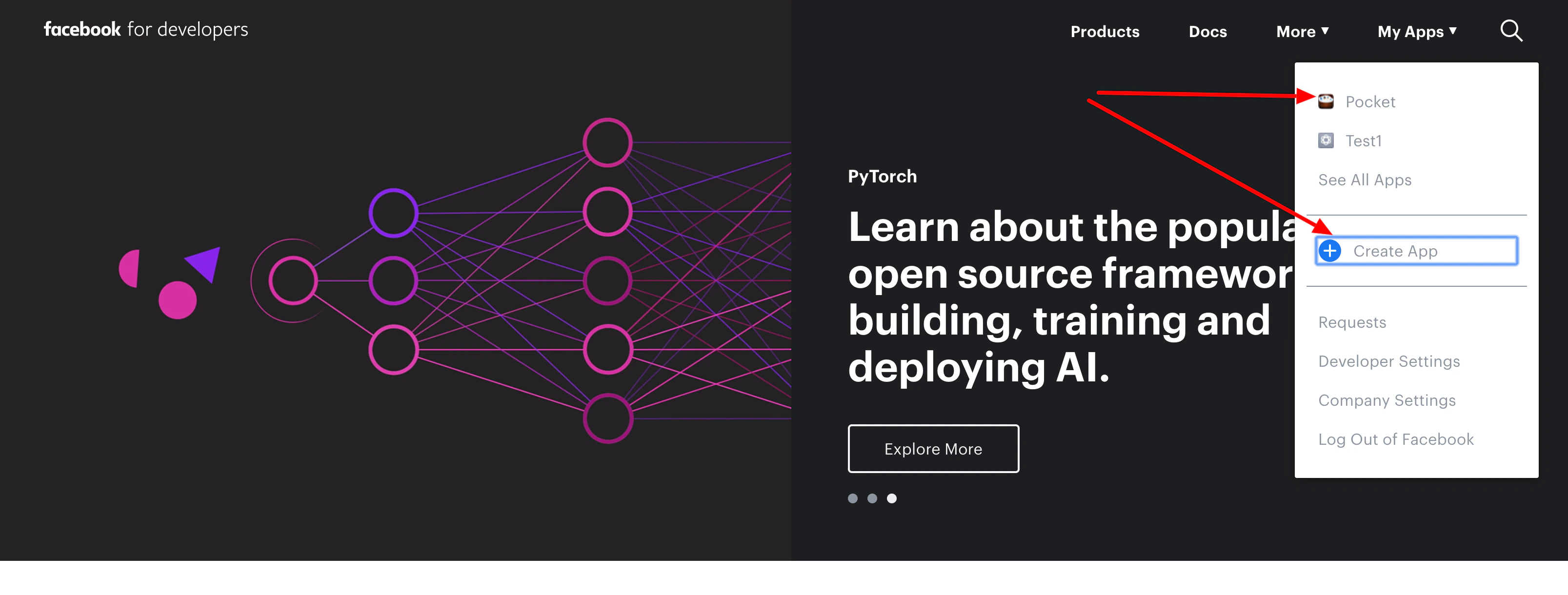
Log in to Facebook for Developers and either select an existing app or create a New App
if you already have an existing app then skip to step 3
-
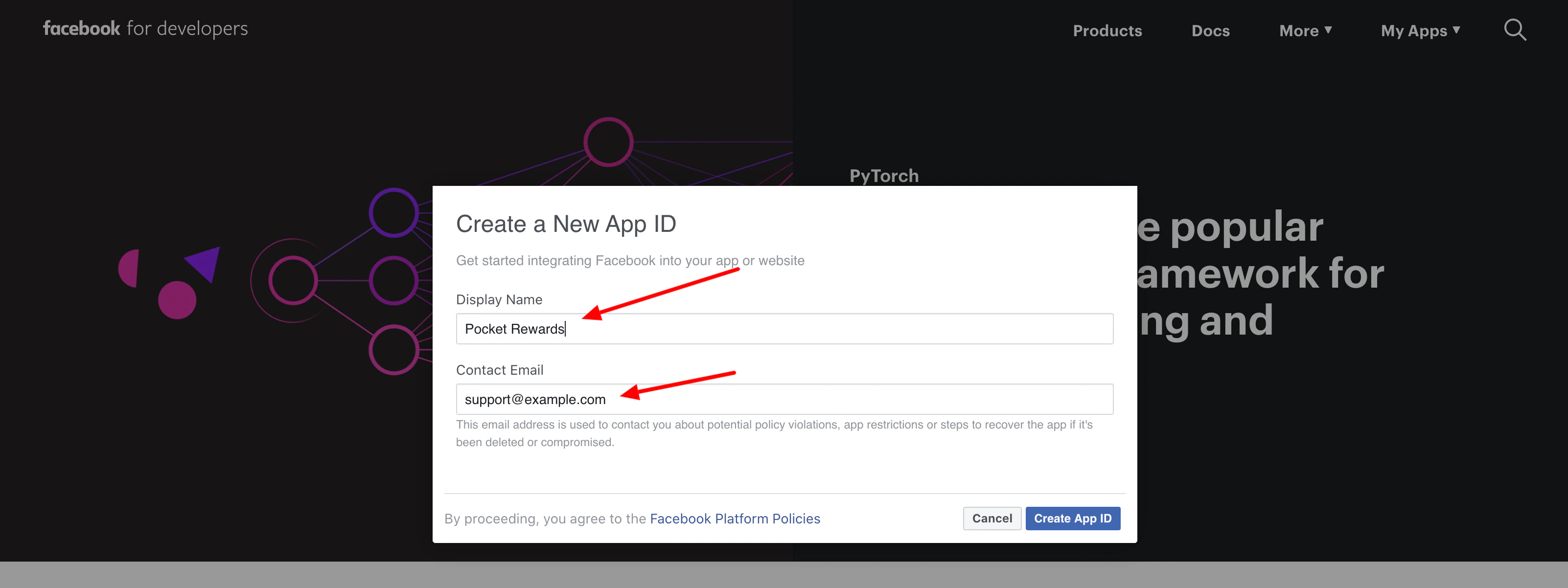
Create a New App
-
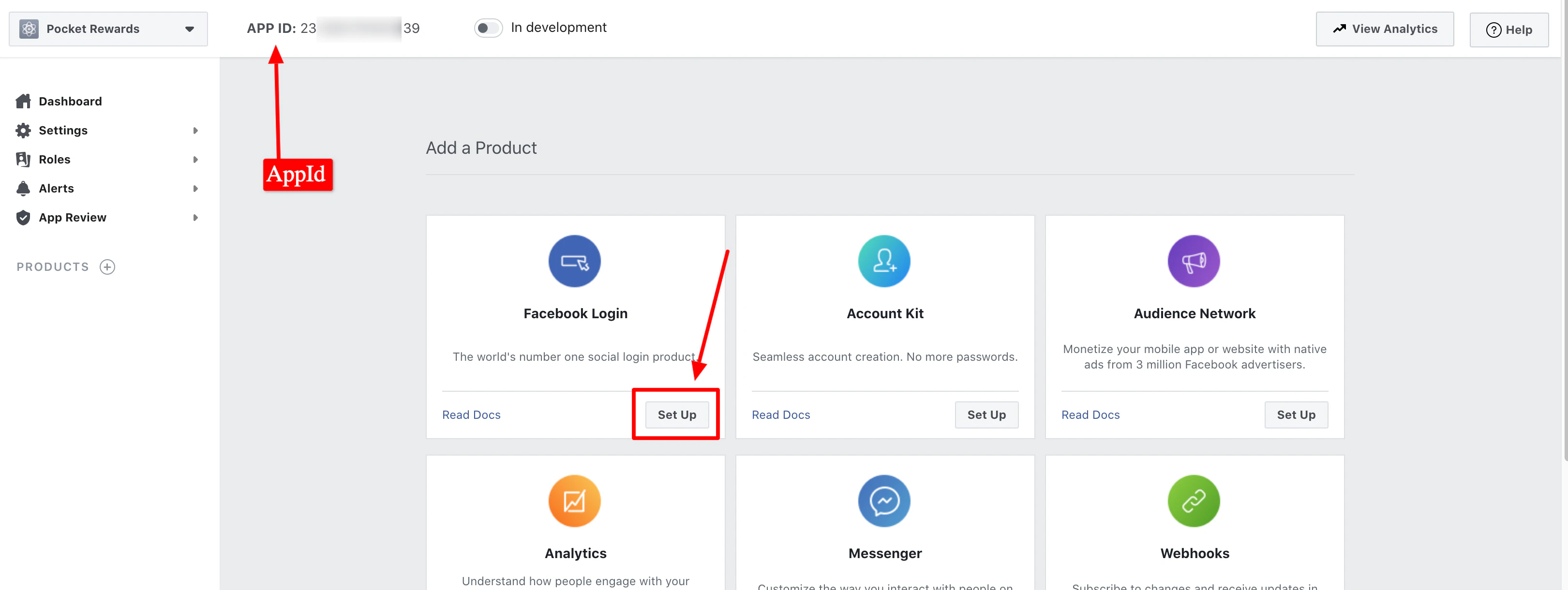
Then Setup Facebook Login
-
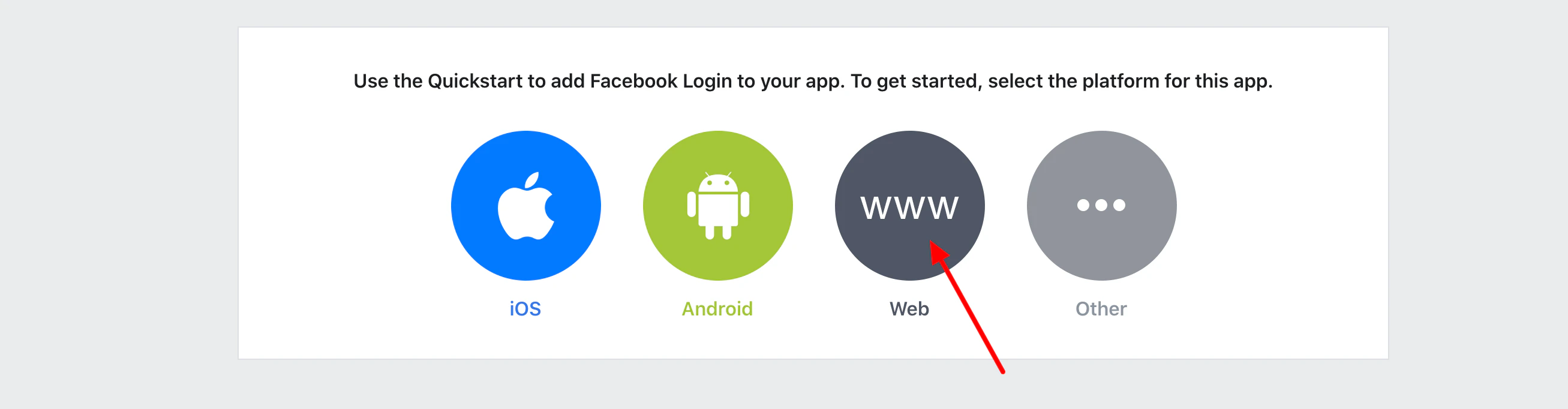
Select
Web as we are configuring Facebook login for the web version
-
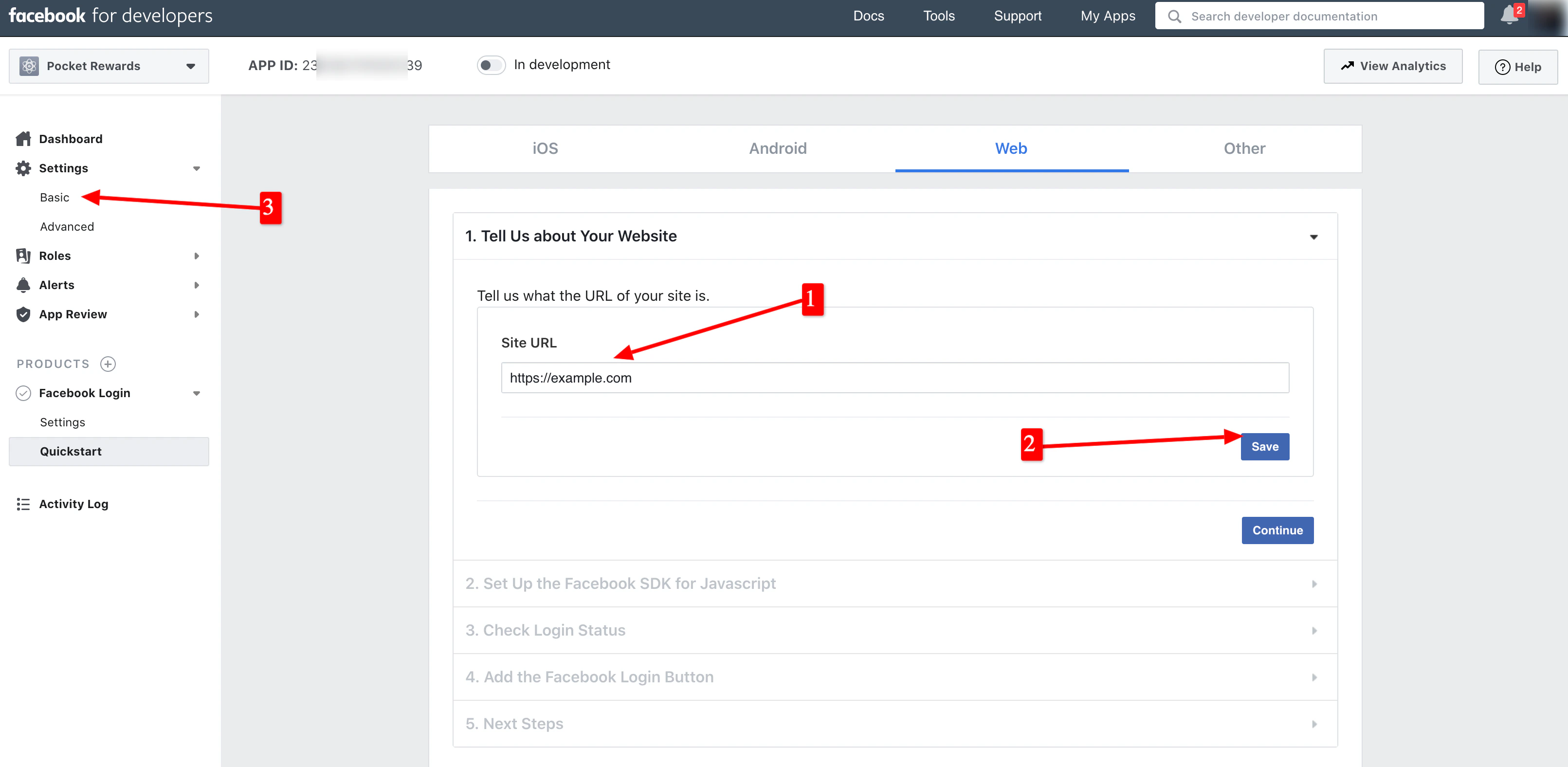
Give your site URL and click on
save
- You can ignore the other quickstart steps
- Navigate to
Settings -> Basic on the sidebar
-
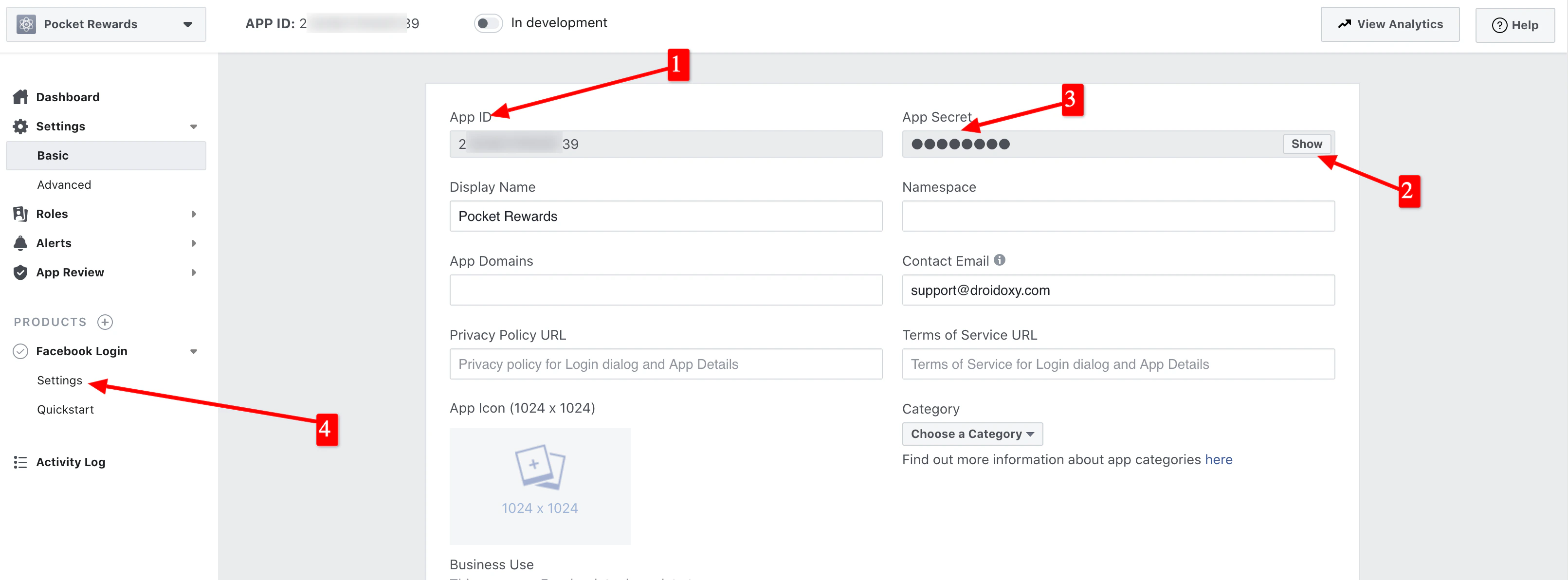
Simply copy your
App ID and App Secret
-
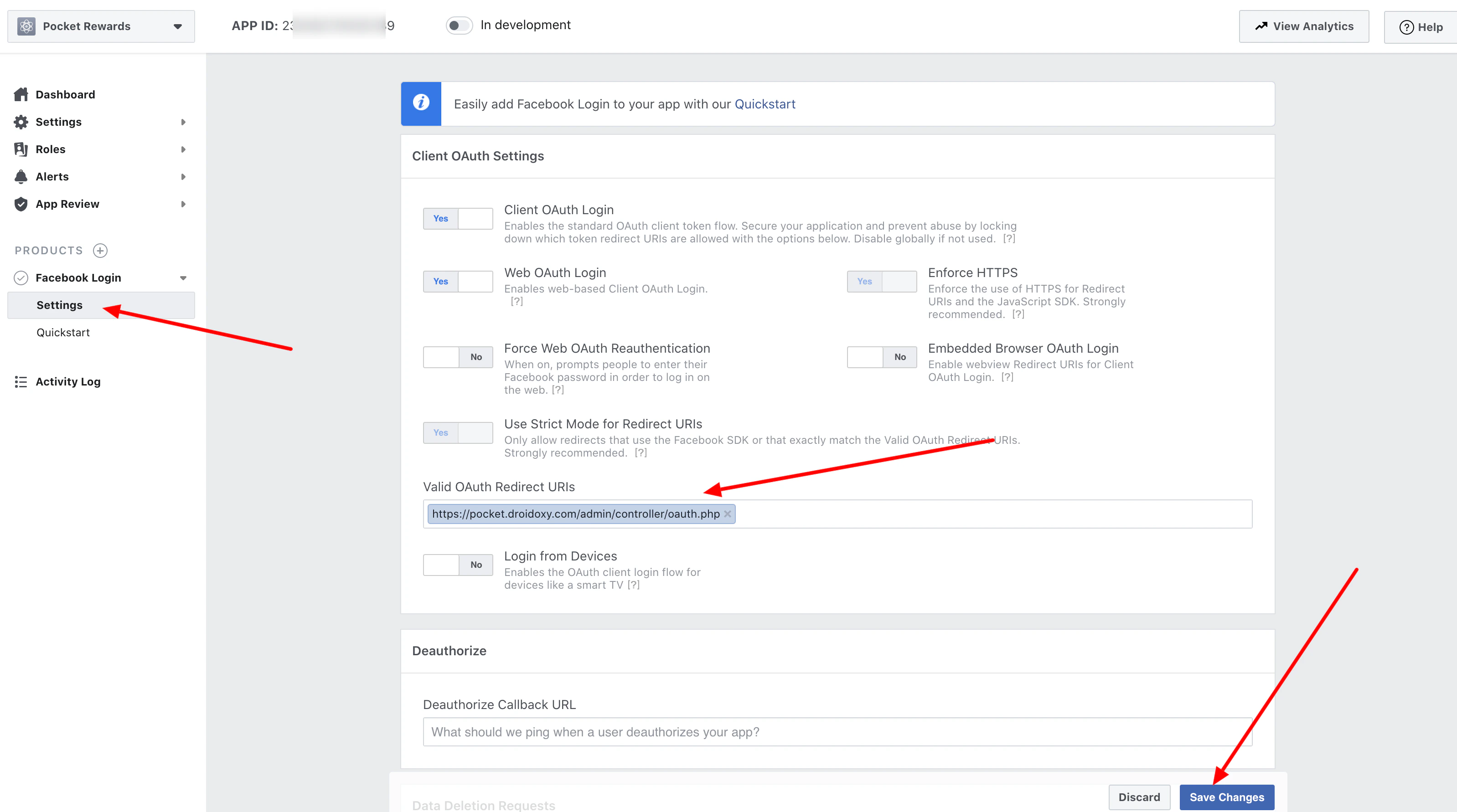
Finally, Go to Facebook Login -> Settings (No. 4 in the above image) to add a valid OAuth redirect URL to finalize our settings
For Valid OAuth redirect URIs, append admin/controller/oauth.php to your website URL
-
For the main domain install at example.com, enter your URL as:
https://example.com/admin/controller/oauth.php
-
For sub-domain install at subdomain.example.com, enter your URL as
https://subdomain.example.com/controller/oauth.php
-
For subfolder install at example.com/subfolder, enter your URL as
https://example.com/subfolder/controller/oauth.php
Final Steps
Paste the copied keys in your admin panel by following the steps below
- Log in to your Admin Interface (Pocket script instance)
- Navigate to
Settings -> Configuration -> Web App Configuration from the admin sidebar
- Scroll down to the
Social Login Section
- And paste the copied
Facebook App ID and Facebook Secret Key
That’s it!
Need Help?
If you need any help or assistance, we’re here for you! Please reach out to our support team